A credential read, then a call to an AI provider
A process the agent started opens a cloud credential file and the agent then connects to a model provider. Guard links the two on macOS, Linux and Windows; Windows doesn’t report bytes sent yet.
Rune Gurd · early access
Guard discovers the AI tools on every laptop and reports what coding agents and browser AI do with credential files, secrets and screenshots, then enforces policy through the harnesses your developers already use.
Gurd Console
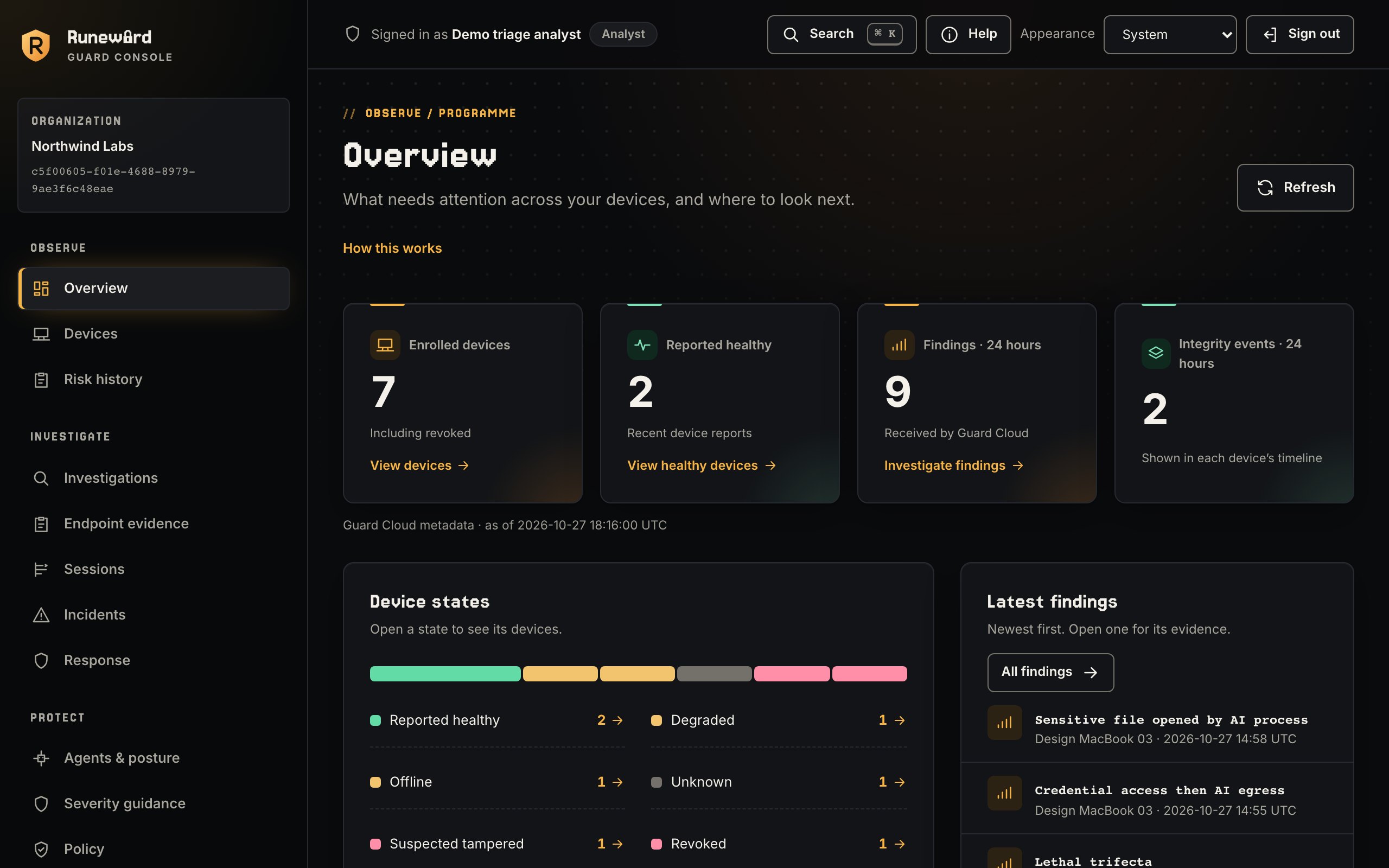
A tour of the Console your security team works in. Each view keeps observed, decided and prevented apart, and shows unknown as unknown.
Every device at a glance
Enrolled devices, reported health and the last day’s findings and integrity events, with the source and time of every number.
Screenshots use synthetic data from the Console demo.

Real agent behaviour
A process the agent started opens a cloud credential file and the agent then connects to a model provider. Guard links the two on macOS, Linux and Windows; Windows doesn’t report bytes sent yet.
A server you approved later rewrites a tool’s description or schema. Guard pins approved tools and reports what was added, removed or changed.
A provider token or private key is on its way to the model. With the human-to-AI sharing opt-in, the harness hook blocks the prompt where the harness allows.
Screen capture by an AI tool or anything it started is reported, and saved screenshots uploaded to ChatGPT or Claude in Chrome are matched by digest.
See
A signed catalog identifies known AI tools; behavior-based discovery catches the ones that aren’t listed. MCP servers are inventoried alongside them, with risky configuration flagged.
Guard watches agent processes, tools and permissions as well as data. Think of it as endpoint detection built for AI agents. It runs alongside your existing EDR rather than replacing it: your EDR keeps handling malware, memory and ransomware, while Guard covers what agents do. It watches the agents, not the people using them.
Findings carry hashed paths, never document text. Document-label reads and redacted session content have separate organization opt-ins. Screenshot correlation uses digests only. Read the privacy statement.
Detect
Guard reports when an AI tool, or any process it started, opens a .env file, SSH key or cloud credential, runs a credential-retrieval command, or captures the screen. It also reports a credential read followed by traffic to an AI provider, on macOS, Linux and Windows. When the agent reads through its own tools, the harness hooks deny the read before it happens.
Enforce
Hooks for seven coding harnesses replace password-like strings, provider tokens and private-key headers in tool output, where the harness allows. With the human-to-AI sharing opt-in they also check prompts, and block one that carries a secret before the model sees it.
# a hook adapter asks Guard about one event guard check <<< '{"kind":"prompt_submit", "harness":"codex","text":"password=…"}' # exit 2 → block · exit 0 → allow or warn
Components
Guard runs on macOS, Linux and Windows.
| Component | Platforms | What it observes |
|---|---|---|
guard inventory |
| Installed and observed AI tools from a signed catalog, with stable IDs, approval state and sightings. |
guard-sensor |
| AI tool process trees opening credential files, running credential commands or screen capture, and unlisted AI tools found by behavior. On macOS it observes and reports. |
Harness hooks |
| Deny credential reads and credential commands, and check secrets in tool output and, with the human-to-AI sharing opt-in, in prompts, in Claude Code, Cline, Codex, Copilot CLI, Cursor, Gemini CLI and Windsurf. |
guard mcp-inventory |
| Configured MCP servers with inline secrets, credential or home-wide paths, plain-HTTP remotes and unpinned npx/uvx packages. |
guard mcp-tools |
| Pins approved MCP tools and reports tools added, removed or with changed descriptions or schemas. |
guard scan |
| One-shot report of harness settings: bypass and never-ask modes, disabled sandboxes and hooks, broad allow rules, hidden instructions. |
Monitor + Chrome extension |
| Saved screenshots attached, pasted or uploaded to ChatGPT and Claude in Chrome. |
Organization
Enroll devices from every team, office and environment, and manage them all from one console your security team controls.
Self-hostable backend for your devices. Devices enroll to report status and findings and to receive signed catalogs.
Device health that never shows unknown as healthy, findings with their reported source and outcome, and device evidence timelines.
Open the Console →Staged policy rollout, approvals across your organization and audited remote response from the Guard Console.
Join Guard early access for your team, or run the free local scan today. Agents in automation too? Add the open-source Rune Box.